|
|
|
|
|
This software was checked for viruses 6 months ago and was found to contain no viruses.
Click here
to see antivirus report.
|
|
| |
|
|
Video tutorial for Audio Dedupe 2.0
|
Review
This is official description
Audio Dedupe is a powerful duplicate mp3 finder for finding similar or exact duplicate audio files in a folder and its subfolders.Audio Dedupe will help you to find fast all similar or exact duplicate audio files in a folder and its subfolders. With a couple of mouse clicks you can get rid off all duplicate audio files and save valuable disk space.
The following review written by one of the Software Informer contributors applies to version 1.5
Audio Dedupe is an application that searches for duplicate music files in our PC. Using advanced algorithms, the program can recognize duplicates without proper ID3 tags, and even similar songs in different formats. It uses three scanning methods, one of which is acoustical, that is, the program will ‘listen’ and compare songs, and find those with a specified a level of similarity. Alternatively, it can look for identical binary pieces, or files of the exact same size, the latter being the least accurate option.
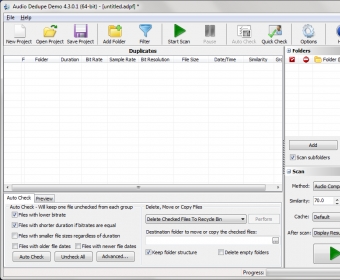
After selecting a folder to scan, we need to choose the search method the program will use. Once the analysis is done, the program will show the results with all the details possible (location, bit rate, duration, etc.). There, we can decide what to do with all the duplicates found: we can remove, rename, preview them with the built-in player, or open them with their associated program. We can also move selected files to another folder or to the Recycle Bin, or remove them permanently. When working with a big number of files, the ‘Autocheck’ option comes in very handy: it lets us select/unselect files with older dates, or files with low bitrates with a single click.
Audio Dedupe works with ten audio file types, including the most widely used ones. |
- Three scan methods.
- Intuitive interface.
- Good documentation.
|
- Works only in Windows OS.
|
|
Reviewed by: Mariel Rearte Reviewer rating: Reviewed: Last year
|
What's new in version 2.5
Added Quick Check/Uncheck functionality, which allows you to check/uncheck files by their folder, extension, file size, file date, etc. Enhanced Move/Delete files window Added new options tab to select which columns you want to be shown in the results grid. Added Compare Folders menu (Only in Pro and Corporate version) Added option "Delete empty folders" (Only in Pro and Corporate versions) Added export to XML and CSV format (Only in Pro and Corporate version) The program can delete read-only files The program will check for Recycle Bin size and show a warning if you want to delete the files to Recycle Bin and there is not enough space available Added warnings when unchecking a selection and there are user checked files Added support for symbolic links in Windows 7 Fixed some 120DPI issues Fixed wildcard issues in Filter dialog What's new in version 2.0
- Added Monkey's Audio APE files support. - Added True Audio TTA files support. - Added filter files and folders functionality, so you can exclude files or folders from scanning. - Added Pause/Resume functionality. - Added new options tab to select which columns you want to be shown in the results grid. - Added new option to set the cache folder location. - Added new option "Remove from list groups containing single file after delete/move". - Added new option "Files are not duplicates if their play time differ more than xxx sec.". - Added volume slider in the preview window. - Fixed some bugs when moving files. - Other small bug fixes and GUI improvements. |
|
Report a wrong version
Report a wrong program title
Suggest a correction
|
Screenshots
All 5 screenshots |
|
|